An operating system is not a dashboard, a personality, or a chat window with ambition. It is the software that makes a physical machine safe to share—and that precise idea is worth rescuing.
Somewhere between the product demo and the funding announcement, “operating system” stopped being a description and became a compliment.
A product now has a sidebar, a memory tab, and three agents named after Greek gods, so naturally it is an AI Operating System. By the same logic, my coffee machine is a workforce-management platform: it allocates my attention, schedules my mornings, and becomes unresponsive the moment I depend on it.
This is not a tragedy. Language stretches. Technical people borrow useful metaphors, marketing people borrow technical metaphors, and eventually every noun is asked to do a little cardio.
But an operating system is a particularly useful term to keep sharp. Not because the old definitions are sacred, and certainly not because new software needs permission from the past. Because an OS solves a specific, brutally difficult problem—and once you understand that problem, you can tell the difference between a genuine systems idea and a product that simply has a command bar.
An operating system stands between programs and the machine. It turns physical resources—processor time, memory, storage, devices, network links—into abstractions that applications can use. Then it enforces the rules of sharing, even when an application is buggy, greedy, confused, or actively hostile.
That last part matters. An OS is not merely a helpful bundle of services. It is a governing layer. It does not just offer memory; it decides which memory you may touch. It does not just run programs; it can stop running them. It does not just provide files; it decides which files you may open and what “open” means on this particular machine.
The classic operating-systems curriculum organizes much of this work around virtualization, concurrency, and persistence: sharing the CPU and memory, managing many things happening at once, and keeping data alive after the power or the process goes away.
A computer contains finite hardware. The software running on it contains unlimited confidence.
Every program wants processor time. Several want the same memory. Two would like to write to the same location. One has entered an infinite loop because somebody thought a retry without a limit was a resilient design.
The OS turns this collection of ambitions into something resembling a civilized machine.
The central illusion is the process: a running program with its own execution state and, normally, its own virtual address space. It can behave as though it has a coherent machine to itself, while the OS and the hardware quietly share the real machine among many processes.
The CPU scheduler decides which runnable thread gets to execute next. It applies policies, priorities, and queues; it switches between work; it makes one physical processing resource useful to many competing demands. The Linux scheduler documentation describes this plainly: the scheduler is the kernel component that decides which runnable thread the CPU executes next.
This is not a loop that says for agent in agents: agent.run() and calls the result scheduling. A real scheduler is managing scarcity under a policy. It is answering an awkward question—who goes next, and who has to wait?—continuously, including when the work does not cooperate.
Memory gets the same treatment. A program uses virtual addresses; the processor, using mappings established and controlled by the OS, translates them into physical locations. Different processes can therefore keep separate views of memory, with protection and controlled sharing built into the arrangement.
This is why one process cannot simply wander into another process’s data because it guessed an address. The address it sees is not a universal passport to the machine. It is a name that means something inside a particular, regulated context.
And yes, this is all illusion. But it is not a hallucination. The difference is that the illusion is maintained by mechanism.
Applications usually run with limited privilege. The kernel runs with the authority needed to manage the machine. A system call is the controlled crossing between those worlds.
That boundary is the whole trick. The application can request an operation, but it does not get to perform every operation itself. The kernel can validate the request, check permissions, reject nonsense, schedule the work, and return a result—or a precise and deeply personal error.
On Linux, the system call is documented as the fundamental interface between an application and the kernel. Programs often reach it through a library wrapper rather than invoking the low-level mechanism directly.
Think of a hotel guest calling the front desk. The guest can ask for towels. The guest is not thereby given the master key, the security office, and the legal authority to reclassify another guest’s room as a spa.
read()Consider one of the least glamorous things software can do: read some bytes from a file.
The application calls read() with a file descriptor, a buffer, and a count. The operation attempts to read up to that many bytes into the buffer; it may return fewer bytes than requested, zero at the end of a file, or an error.
Simple at the top. An entire civilization underneath.
The beauty is not that the application knows less. The beauty is that it can know less without losing control over the things that matter to it. It supplies a destination, a size, and a request. The OS handles the machinery and reports what happened.
Hardware is extraordinarily specific. An application would prefer not to be.
A storage device has commands, queues, blocks, errors, timing behavior, and its own peculiar ways of failing. A network interface has its own machinery. Keyboards, displays, cameras, accelerators, and printers all arrive with different rules and, occasionally, evidence that the firmware was finished during an airport delay.
The OS absorbs this variation through drivers and common abstractions. It gives programs files, directories, sockets, devices, and other interfaces with semantics they can build on. A regular file offers a coherent way to store and retrieve bytes without requiring each application to understand the private habits of the underlying device.
This is one of the great uncelebrated achievements of computing: making diversity boring.
Persistence belongs here too. Memory disappears. Processes exit. Machines reboot. The OS provides durable structures and rules for getting data onto stable storage, finding it again, and recovering from the awkward moment when the world stopped halfway through an update.
That is much more than “we saved your chat.” Persistence asks what happens on restart, what happens after a crash, which writes became visible, which did not, and what consistency another program can rely on.
Concurrency is what happens when two perfectly reasonable events produce a third, unreasonable event.
A timer fires while a program is running. A device completes an operation while another program is being scheduled. Two threads update shared state. One process blocks on input while another continues. The OS has to keep these events coherent, maintain its own internal state, and avoid turning an ordinary Tuesday into a debugging memoir.
It also has to contain failure. Applications crash. Drivers encounter devices that do not respond. Memory runs low. Storage fills. Networks vanish and return with the confidence of a colleague who missed the meeting but would like credit for the outcome.
No operating system makes all of this disappear. The good ones make failure visible, bounded, and survivable. They preserve the machine’s ability to keep making decisions.
That is a different ambition from producing an impressive trajectory when everything goes right.
Here is the necessary caveat: the boundary is not perfectly clean.
In strict systems language, the kernel is the privileged core. In everyday language, an operating system may also include system libraries, utilities, boot machinery, a shell, and enough user-space infrastructure to make the machine usable. A whole distribution can include a great deal more.
And operating-system ideas can be layered. A browser, language runtime, or virtual-machine platform may isolate workloads, allocate resources, expose durable abstractions, and contain failures for programs above it. It does not have to touch bare metal to be meaningfully OS-like.
So the test is not “does it sit on the hardware?” The better test is what mechanisms does it provide to the programs above it, and what can it enforce against them?
This is also why a desktop interface is not, by itself, the operating system. It may be the most visible part. It may be lovely. It may have a dock with icons that bounce as though celebrating a small private victory. But visibility is not authority.
Which brings us, gently, to the AI Operating System.
There is a serious idea available here. An agent platform may coordinate many kinds of work, maintain durable state, expose tools through common interfaces, route tasks across models, apply quotas, and provide a place for other software to run. Those are OS-inspired problems. Some of them are genuinely hard systems problems.
If a platform gives programs a stable execution environment, arbitrates shared resources, isolates workloads, and contains their failures, the comparison can illuminate the architecture.
But the metaphor has to be paid for in mechanisms.
Memory is not automatically a database with embeddings. Scheduling is not automatically a loop over agents. Persistence is not automatically the fact that yesterday’s conversation is still visible. And a system prompt is not a security boundary.
A boundary exists when the workload cannot simply talk its way past the rule. That requires enforcement at a layer the workload does not control.
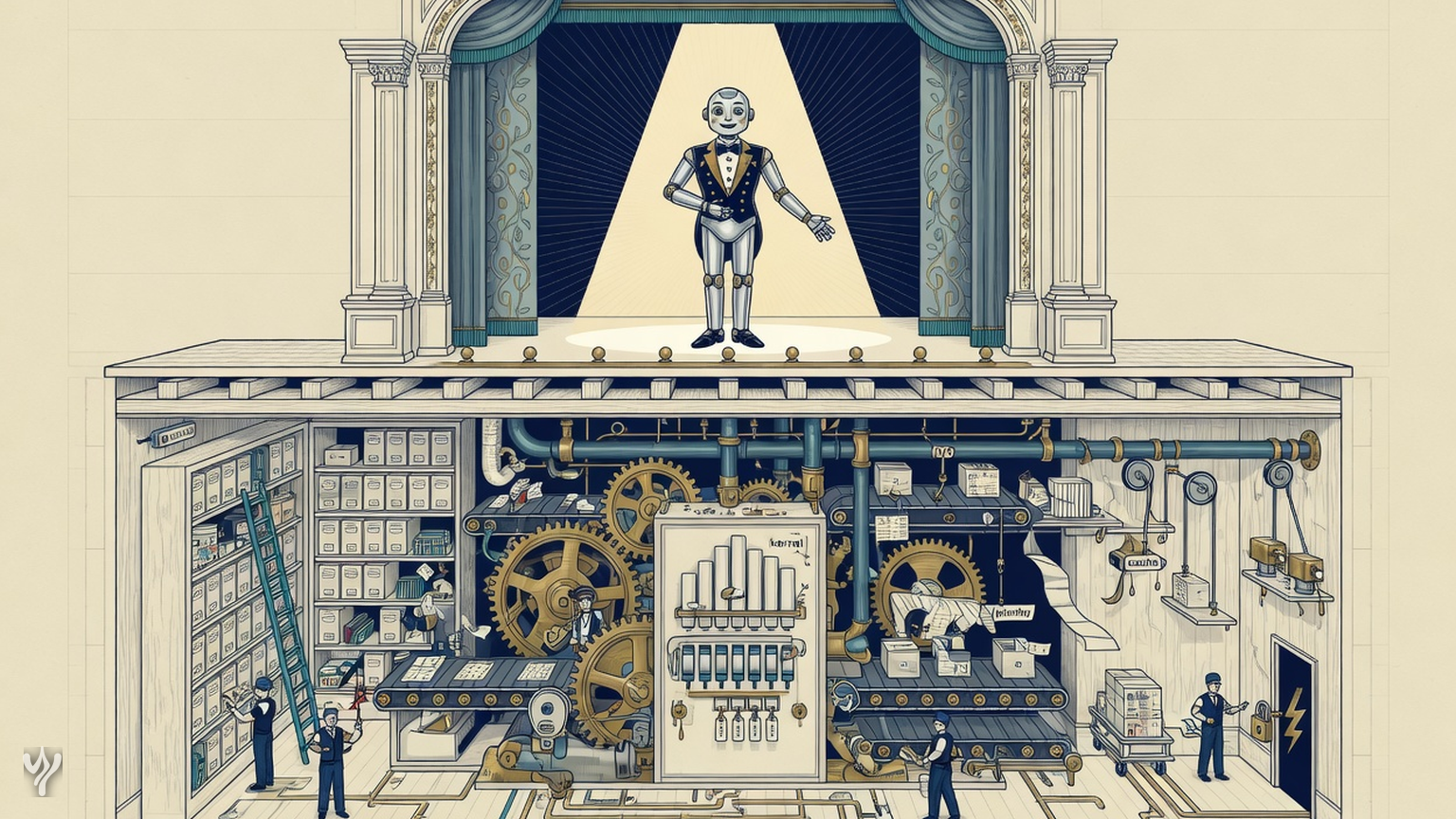
The actual operating system, meanwhile, is still downstairs doing the dishes: translating addresses, scheduling threads, checking permissions, moving bytes, and refusing your invalid memory access without a personalized apology.
| OS word | The engineering receipt | The marketing substitute |
|---|---|---|
| Scheduling | Queues, priorities, quotas, preemption, and a policy for scarce capacity | “Our agents collaborate.” |
| Memory | Defined ownership, lifetime, visibility, protection, and eviction | “We added long-term memory.” |
| Protection | A privilege boundary enforced below the workload | “The instructions prohibit that.” |
| Persistence | Durability, restart behavior, recovery, and consistency guarantees | “Your chat is still there.” |
| Drivers | Concrete interfaces with defined semantics, errors, and resource behavior | “We have integrations.” |
None of the items on the right are necessarily bad products. Collaboration is useful. Long-term memory is useful. Integrations are useful. They are simply not interchangeable with the mechanisms on the left.
Precision is not gatekeeping. It is a way of making better things.
If you mean an agent runtime, say agent runtime. If you mean an orchestration layer, say orchestration layer. If you mean a unified workspace with a model and a suspicious number of sidebars, say that. These descriptions are not less ambitious. They are more informative.
And if you are genuinely building an operating-system-like layer for intelligent workloads, excellent. Show the resource model. Show the isolation boundary. Show the execution lifecycle, the failure semantics, the durability guarantees, and the interface other programs can rely on.
The operating system is one of computing’s quiet miracles: not because it is intelligent, but because it is trustworthy in precisely specified ways. It turns scarce hardware into shared infrastructure and keeps its promises when other software is at its worst.
That is a much higher bar than becoming the center of somebody’s workflow.
So build the AI layer. Make it delightful. Give it tools, memory, agents, a beautiful command bar, and a name from whichever fantasy novel is currently available.
Just do not confuse the performer with the machinery.
An OS is not the thing that talks about the machine. It is the thing the machine cannot ignore.


Thoughts and essays, published with Yokush. See more posts
 Siddharth5 min
 Siddharth33 min
 Siddharth
Comments 0